A meal photo can make journaling faster, but the most useful result is a thoughtful starting point—not a number you have to accept.
Need a MyFitnessPal alternative for photo-first food logging?
Start with the input already in your hand: a meal photo, a package barcode, or the name of a food you already know.
- Written by
- bling editorial team
- Product review
- bling product team
- Published
- Last reviewed
Is a photo-first food logger the right replacement?
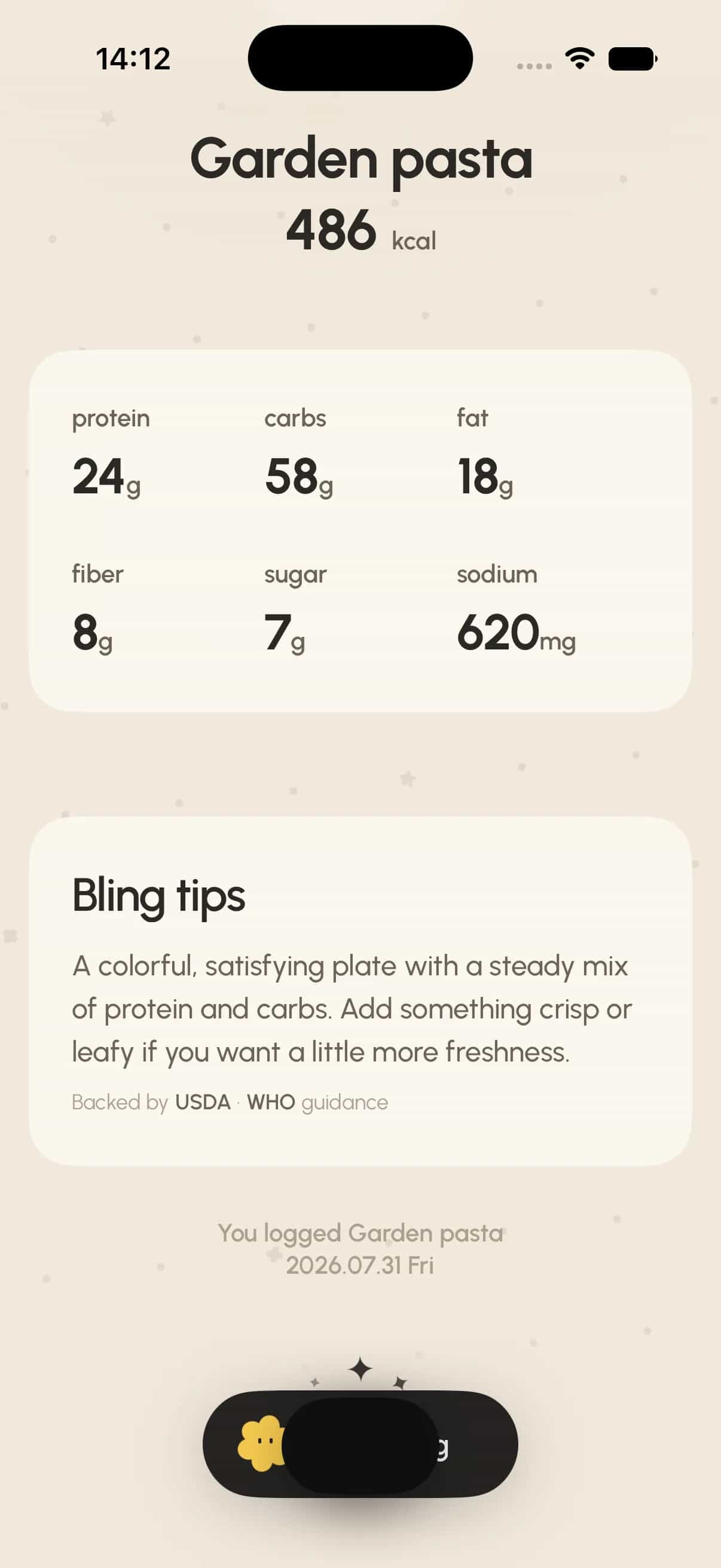
A photo-first logger is a strong fit when the meal itself is easier to photograph than to search component by component. In Bling, the photo produces an editable calorie and macro estimate before anything is kept in the journal.
Bling is available for iPhone on the App Store and for Android on Google Play. This guide makes no claim about barcode scanning or account sync across phone and web.
- Choose photo first when you usually log plated meals, mixed dishes, or food that is quicker to show than to name.
- Choose the App Store for iPhone or Google Play for Android.
- Do not choose Bling if packaged foods make barcode scanning your primary input.
- Do not choose Bling if cross-platform phone-and-web sync is essential.
- Snap or upload the meal.
- Review and edit the estimate.
- Save it to the journal.
Choose by the input already in your hand
Start with the food you log most often. The useful comparison is not which app has the most features; it is which first action removes the step that usually makes you stop.
A meal photo
Choose a photo-first route when the plate is the clearest description. Bling keeps the path simple on iPhone and Android: snap or upload, review and edit, then save.
A packaged food
Choose a barcode-first route when the package already identifies the product. Cronometer Basic currently documents unlimited barcode scanning across web, iOS, and Android.
A known food or repeat meal
Choose search or saved meals when you already know what to type. MyFitnessPal includes food search in its free version, while its barcode scanner and Meal Scan require Premium.
Five options, compared by logging friction
This comparison describes the shortest documented entry route for each kind of food. We did not run a stopwatch test, rank nutrition accuracy, or test identical meals.
Swipe sideways to see every column
| Product | Fastest available route | Free boundary | Platforms | Best fit |
|---|---|---|---|---|
| Bling | Snap or upload, review/edit, save | No free tier; Bling Pro subscription | iPhone; Android | Photo-first journaling |
| Cronometer | Barcode or food search | Basic includes unlimited barcode scanning | Web, iOS, Android | Free barcode access and detailed records |
| MyFitnessPal | Food search; paid barcode or Meal Scan | Food search is available free | iOS, Android | A familiar search-first diary |
| Lose It | Basic logging; photo or barcode on Premium | Basic tracking is free; photo and barcode are Premium | iOS, Android | Basic tracking with optional paid scanning |
| MacroFactor | Photo, barcode, label, search, text, or voice | 7-day trial; no free tier | iOS, Android | Many input modes in one paid product |
What each app actually offers
These are product-fit reviews, not universal rankings. Each app reduces a different kind of logging friction.
Bling: photo first, then an editable review
Bling is our product and is available for iPhone on the App Store and for Android on Google Play. You snap or upload a meal, review an editable calorie and macro estimate, and save it to the journal. Meal photos are sent to servers for AI recognition. [12], [13]
Bling has no free tier: it is free to download, and using the journal requires a Bling Pro subscription, listed at $4.99 per week or $39.99 per year on the US App Store (checked October 19, 2026). [16]
Choose it when the meal itself is the easiest input and you want the estimate to stay visibly reviewable before saving. This guide makes no claim about barcode entry, text entry, or medical accuracy.
Cronometer: the strongest free barcode path here
Cronometer Basic includes its food database, custom meals and recipes, and unlimited barcode scanning. It is available on web, iOS, and Android. [4]
Cronometer’s AI Photo Logging is a Gold feature. Before saving, the matched foods can be reviewed, with options to change amounts and serving sizes or swap, add, and delete items. [5]
Choose it when packaged foods and repeatable structured entries matter more than starting every meal with a photo.
MyFitnessPal: free search, paid scanning
MyFitnessPal’s free version includes food logging and database search. Barcode scanning is a Premium feature. [1], [2]
Meal Scan is also a Premium feature on supported iOS and Android devices. During the scan flow, you can manually add food the scan missed; after logging, serving size and serving count remain editable. [3]
MyFitnessPal also owns Cal AI, a photo-first calorie app. It announced the acquisition on March 2, 2026, and says Cal AI continues as a standalone product. [17]
Choose it when search is already your default habit and you are comfortable deciding separately whether the paid scan routes are worth it.
Lose It: basic tracking with paid photo and barcode entry
Lose It’s current U.S. App Store listing describes basic calorie tracking as free and lists photo meal logging and barcode scanning as Premium features. Its Android listing is also live. [7], [15]
Choose it when basic tracking is enough today and paid photo or barcode entry is a useful upgrade.
MacroFactor: the widest input menu in this comparison
MacroFactor combines AI photo logging, barcode scanning, a verified food search, nutrition-label scanning, and text or voice description on iOS and Android. A barcode result can be edited for units and quantity. [9], [10]
It starts with a 7-day trial and has no permanent free tier. [9]
Choose it when moving between several input methods is more important than keeping a free plan.
Make the decision without overbuying
Use your dominant input as the first filter, then check platform and payment boundaries. Extra modes only matter when you will actually use them.
- Photo-first + iPhone or Android: consider Bling’s editable photo workflow.
- Barcode-first + free access: consider Cronometer Basic.
- Search-first + familiar diary: keep MyFitnessPal’s free search path unless Premium scanning removes a real bottleneck.
- Basic tracking + optional paid photo or barcode: consider Lose It.
- Several input modes + paid-only product: consider MacroFactor’s trial.
Privacy can change the decision
Food records and meal photos can be sensitive. Read the current policy for the exact product and platform before uploading, especially if a photo can contain faces, addresses, receipts, medication labels, or other private details.
Cronometer says it does not sell account personal details. MacroFactor says it is ad-free and does not use ad networks to track users. [6], [11]
Lose It’s privacy policy says it may use personal information to improve its products and services and for marketing purposes. [8]
Bling sends meal photos to servers for AI recognition. Its policy says it does not sell personal information or use it for advertising, and it supports deletion requests. [13], [14]
These statements are not a privacy score. Policies, platform disclosures, and product behavior can change independently, so check the current documents before choosing.
How we made this comparison
Disclosure: Bling is our product. No competitor paid for placement in this guide.
We reviewed official product pages, help-center documentation, platform listings, and privacy materials on August 16, 2026. We compared the first logging route, what remains available without an ongoing paid plan, platform support, editability, and the clearest published privacy boundary.
We did not run a hands-on timing test, log the same meal in every app, verify nutrition estimates against laboratory measurements, or compare region-specific prices. “Fastest available route” describes the shortest documented entry path for a given kind of food; it is not a measured performance claim.
Plan names, availability, device requirements, and features can change. Confirm the current product page and app-store listing before subscribing.
Questions worth answering
What is the best free MyFitnessPal alternative for barcode logging?
Among the products compared here, Cronometer Basic is the clearest free barcode option: its official free-feature page includes unlimited barcode scanning.
Which MyFitnessPal alternative lets me log from a photo?
Bling uses a photo-first editable estimate on iPhone and Android. Cronometer offers AI Photo Logging on Gold, Lose It lists photo meal logging on Premium, MacroFactor includes AI photo logging after its trial, and MyFitnessPal offers Meal Scan on Premium for supported devices.
Can I edit an AI photo estimate before saving?
Bling lets you review and edit its calorie and macro estimate before saving. Cronometer’s Photo Logging also lets Gold users review matched foods and change amounts or swap, add, and delete items.
Which option works on the web as well as a phone?
Cronometer is the option in this comparison with documented web, iOS, and Android availability. The other entries here are described by their iOS or Android app availability.
Is Cal AI part of MyFitnessPal?
Yes. MyFitnessPal announced on March 2, 2026 that it had acquired Cal AI. Cal AI continues as a standalone app, separate from MyFitnessPal’s own Meal Scan.
Does MacroFactor have a free version?
No. MacroFactor offers a 7-day trial but says it does not have a permanent free tier.
Did Bling test which app logs food fastest?
No. This guide compares documented input routes and plan boundaries. It does not present stopwatch timings or an identical-meal test.
Editorial note
This comparison is general product information, not medical advice or a nutrition-accuracy ranking. Verify current features, privacy terms, and availability with each provider.
Source ledger
Sources and further reading
- What is included in the free version?MyFitnessPal Help
- How do I use the barcode scanner to log foods?MyFitnessPal Help
- Meal Scan FAQMyFitnessPal Help
- Free Nutrition Tracking AppCronometer
- Mobile — Photo-LoggingCronometer Help
- PrivacyCronometer
- Lose It! — Calorie CounterApple App Store
- Privacy PolicyLose It
- MacroFactor appMacroFactor
- How to log food in MacroFactorMacroFactor Help Center
- MacroFactor privacy noticeMacroFactor
- Bling product workflowBling
- Privacy PolicyBling
- Data DeletionBling
- Calorie Counter by Lose It!Google Play
- Bling: Cute AI Calorie TrackerApple App Store
- MyFitnessPal Acquires Cal AIMyFitnessPal via GlobeNewswire
See something that needs correction? Read our editorial policy or email team@bling.best.